VectorLabel Print Server
A dedicated desktop or portable print host device to enable cloud connectivity on your USB printers.
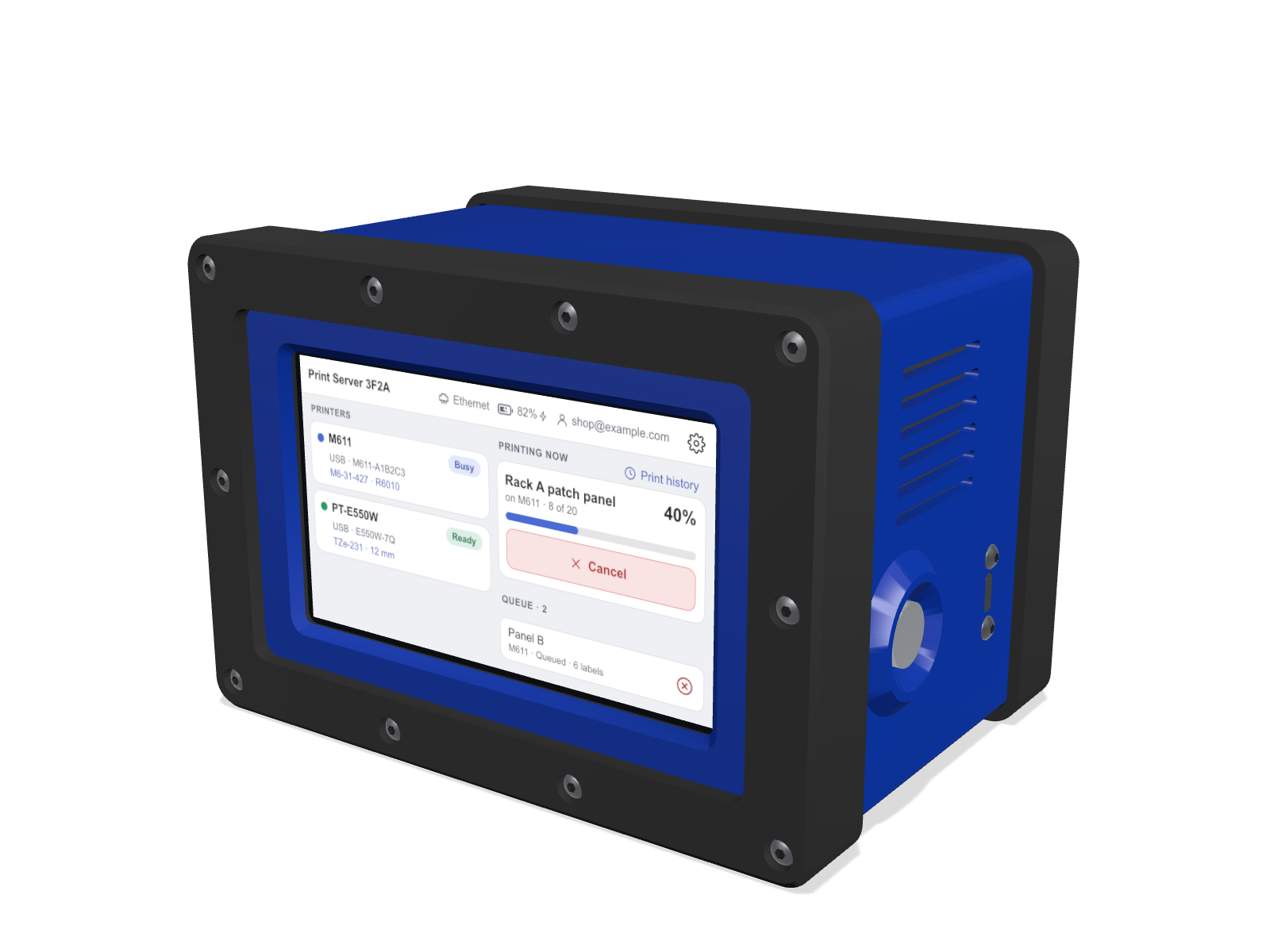
Every printer and every job, at a glance.
The screen shows the printers plugged in, what each is printing and what is waiting. Cancel a job, look back through the print history, or change the box's settings with a tap. Try it below.
Plug in, add it to your account, print.


What it does.
Cloud print host
Jobs sent from VectorLabel on any signed-in computer print on it. No computer has to stay on next to the printers.
Internal Battery
A 72 Wh internal battery keeps it running away from a power outlet. It charges over USB-C.
Touch screen
A 5-inch touch screen shows each printer's status and loaded supply, the job printing and the queue. Light and dark appearance.
Ethernet or Wi-Fi
Gigabit Ethernet, or dual-band Wi-Fi joined from the screen with its on-screen keyboard.
Print history
Every job it printed, cancelled or couldn't finish, with the date, on the screen.
No license to buy
The box is licensed by itself and never counts as one of your computers. Add it to your account and it is ready.
Status, history and settings.


All screens show sample data.
The box.
| Size | 168 × 115 × 120 mm |
|---|---|
| Materials | PETG body and TPU bumpers |
| Water resistance | None |
| Screen | 5-inch 720 × 1280 capacitive touch screen |
| Network | Gigabit Ethernet, dual-band 802.11ac Wi-Fi |
| Ports | 4 × USB-A |
| Internal Battery | 72 Wh |
| Charging | USB-C, up to 40 W |
| Printers | Brady M610, M611 and i3300, and Brother P-touch |
Want one?
Tell us how many you need and where they will be used. We'll get back to you.
Contact us to purchase